The best workout tracker app is the one that makes logging so fast you never skip it, shows what you did last time on every set, and turns your sets into clear progress (PRs, strength trends). After that, look at a reliable rest timer, a good exercise library, watch support if you use one, data import and export, privacy, and a price that matches the features you actually need. Use the checklist below to compare any app, including ours.
Step 1: know what you need
| You are… | What matters most |
|---|---|
| A beginner | Simple logging, exercise demos, a ready-made plan |
| An intermediate lifter on a set program | Fast logging, last session’s numbers, flexible routines |
| Chasing strength numbers | 1RM estimates, PR tracking, percentage-based loading |
| Short on time | Quick start, rest timer, supersets |
| Using a smartwatch | Real logging from the wrist, not just a heart rate |
| Unsure how to program | A coach feature based on sound training principles |
Step 2: the core checklist
1. Logging speed
This is the make-or-break feature. Between sets you have a minute or two and sweaty hands. Test:
- How many taps does it take to log a set?
- Are weight and reps pre-filled from last time?
- Can you edit a mistake quickly?
- Does it work offline in a basement gym?
If it takes longer than about five seconds to log a set, you’ll eventually stop.
2. Previous performance on screen
The single most useful thing an app can do is show what you lifted last time, set by set, right when you need it. That’s what makes progressive overload automatic.
3. Progress tracking
- PR detection (heaviest weight, most reps, best estimated 1RM)
- Strength trends per exercise over months; see how to calculate one rep max
- Training volume per muscle or week
- A calendar of sessions
4. Rest timer
It should start automatically when you log a set, let you adjust per exercise, and alert you even when your phone is locked or in your pocket. More on rest in how long to rest between sets.
5. Exercise library
Check that it has the exercises you actually do, with clear demonstrations (video or animation) and the option to add custom ones. A library in your own language is a bonus.
6. Routines and flexibility
You should be able to build routines, reorder exercises mid-workout, add supersets, swap an exercise when the machine is busy, and log something unplanned.
7. Coaching and programming (if you want it)
Some apps go beyond logging and build or adjust your program. That can be genuinely useful if you don’t know how to structure training. Questions worth asking:
- Is it based on training research, like weekly sets per muscle and progressive overload, or just random workouts?
- Does it adapt to you? A good program changes when you stall, recover poorly or progress quickly.
- Does it explain its decisions? You should be able to see why it added or removed sets, not just accept a number.
- Can you override it? You know your body, schedule and equipment better than any algorithm.
If you already follow a program you like, you can skip this category entirely and save your money.
Step 3: important but often overlooked
Data ownership
- Import: can you bring your history from a spreadsheet or another tool?
- Export: can you take your data with you if you leave?
- Backup: what happens if you lose your phone?
Privacy
Read what’s collected and why. A workout log shouldn’t need your contacts or a social profile to work.
Pricing transparency
Look at what the free tier really includes and what’s behind a paywall. Watch for apps that limit the number of workouts you can log for free; logging is the core job.
Watch support
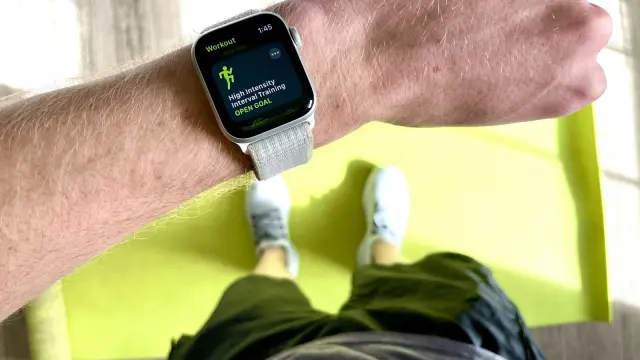
If you train with a smartwatch, check whether the watch app lets you actually log sets or only shows a timer and heart rate. See smartwatch for weight lifting.
What’s mostly marketing
- Calorie counts for lifting sessions: rough estimates at best.
- “AI” labels without explaining what’s adapted and why.
- Social feeds and badges, if you don’t care about them.
- Hundreds of templates you’ll never use.
Red flags
- Logging limited on the free plan
- No way to export your data
- Programs that don’t explain their reasoning
- Constant upsell pop-ups during workouts
- Slow or unreliable logging, especially offline
Where Brick fits
We built Brick, so take this section with that in mind and hold it to the same checklist.
- Logging: one tap per set, with last time’s weight and reps shown for every set.
- Rest timer: starts automatically, with a notification and a Live Activity on the Lock Screen.
- Apple Watch: log sets from your wrist with the Digital Crown.
- Progress: PR detection, estimated 1RM trends, anatomical muscle map, calendar and weekly streaks.
- Library: 800+ exercises with 3D animations, in English, French and Greek.
- Import: from CSV, Excel, PDF or screenshots.
- Free: unlimited workout logging, rest timer, Apple Watch, PRs, trends, muscle map, up to 3 routines, last 90 days of history.
- Premium: Brick Coach, which builds a program from training research and adjusts sets per muscle in a weekly review, with a “Why?” that shows the source; plus unlimited routines, all history, monthly reports, progress photos and a year calendar. There’s no free trial.
- Platforms: iPhone and Apple Watch today, Android coming.
If you’re on Android right now, or prefer a notebook, that’s a fair reason to choose something else.
How to test an app in one session
- Build your normal routine (5 minutes max).
- Do a real workout and log every set.
- Next session, check: did it show last time’s numbers?
- After two weeks, check: can you see progress on your main lifts?
If the app passes, keep it. If it gets in your way, switch early, before your history is locked in. And whatever you choose, the habit matters more than the tool; see our guide to keeping a workout log.
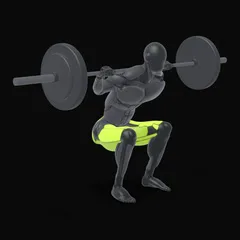
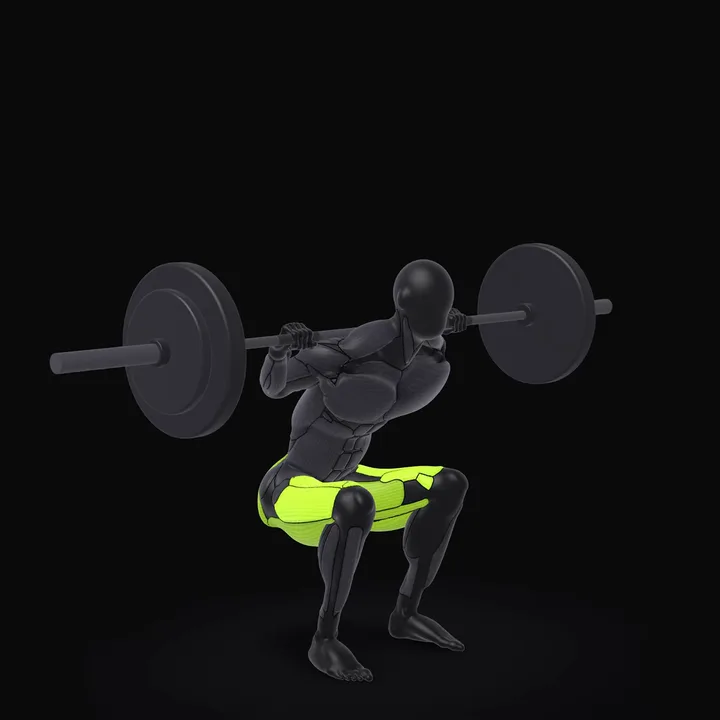 Barbell SquatPlace the bar on your upper back, not on your neck, and step out of the rack. Stand with feet slightly wider than shoulder width, toes turned out a little.How to do the Barbell Squat →
Frequently asked questions
Do I need a paid workout app?
Not to start. A good free tier should let you log unlimited workouts, see your previous numbers and use a rest timer. Paid features are worth it only if they solve a problem you actually have, like program design or long-term analytics.
Is a workout app better than a notebook?
It's faster and does the maths for you: last session's numbers, PRs, one rep max estimates and charts. A notebook is distraction-free and can't run out of battery. Both work; consistency matters most.
Can I move my workout history to a new app?
Sometimes. Look for an app that can import from common formats like CSV or spreadsheets, and one that lets you export your data. Your training history is valuable; don't let it be locked in.
Should a workout app create my program for me?
It can help if you don't know how to structure training, as long as the program is based on sound principles and adapts to your progress. If you already follow a program you like, you mainly need fast, reliable logging.